
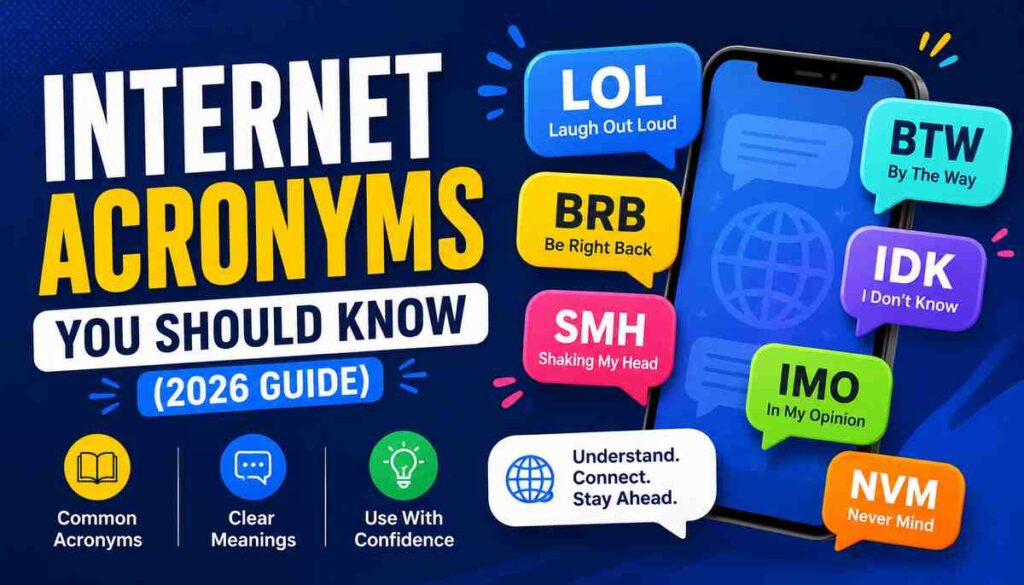
If you’ve ever stared at a text or a comment thread wondering what “IYKYK” or “TBH” actually means, you’re not alone. Internet acronyms have become a normal part of daily communication, showing up in group chats, work Slack channels, gaming lobbies, and social media comments alike.
This guide breaks down the internet acronyms you should know, organized by where you’re most likely to see them. Instead of a random alphabet-soup list, you’ll get context for when to use each one, when to avoid it, and what can go wrong if you get it wrong.
Why Internet Acronyms Exist in the First Place
Typing takes time, and early text messages were limited to 160 characters. Shortened phrases solved a real problem: getting a thought across quickly without burning through space or time. That habit stuck around long after character limits stopped mattering.
Acronyms also work as a kind of social shorthand. Using “IYKYK” (if you know, you know) signals that you’re part of a group that gets the reference. This is one reason acronyms spread so fast among specific communities before crossing over into mainstream use.
There’s a practical side too. Typing on a phone screen is slower than typing on a keyboard, so shortcuts like “u” for “you” or “TY” for “thank you” cut down on typos and effort. Voice-to-text and predictive keyboards have reduced this need somewhat, but the habit has outlasted the original reason for it.
Everyday Texting and Chat Acronyms
These are the acronyms you’ll run into most often in text messages, DMs, and casual chats. Most people learn these early, but a few get misused or confused with similar-looking ones.
LOL – Laughing out loud. Used to show something is funny, though it’s often used just to soften a message rather than signal actual laughter.
BRB – Be right back. Lets someone know you’re stepping away from a conversation briefly.
TTYL – Talk to you later. A casual sign-off, usually for chats rather than formal messages.
IDK – I don’t know. Common in quick replies when you genuinely have no answer.
IMO / IMHO – In my opinion / in my humble opinion. Used to frame a statement as personal viewpoint rather than fact.
TBH – To be honest. Signals that what follows is a candid or blunt take.
NP – No problem. A short way to accept thanks or brush off an apology.
OMW – On my way. Useful for coordinating plans without typing a full sentence.
A common mistake is stacking too many acronyms in one message. A text like “BRB, IDK, TTYL” reads as confusing rather than efficient. One or two per message keeps things clear.
Social Media Acronyms
Social platforms have their own shorthand, often tied to specific behaviors like posting, reacting, or engaging with content.
FOMO – Fear of missing out. Describes the anxious feeling of seeing others doing something fun without you.
TBT – Throwback Thursday. Used when posting an old photo or memory on a Thursday.
OOTD – Outfit of the day. Common on fashion-focused posts.
DM – Direct message. Refers to a private message sent through a platform rather than a public comment.
RT – Retweet (or repost). Signals that content is being shared rather than originally written by the poster.
IYKYK – If you know, you know. Implies an inside joke or shared context that outsiders won’t fully understand.
NGL – Not gonna lie. Similar to TBH, used to introduce an honest or slightly unfiltered opinion.
One thing worth noting: platforms evolve their own dialects. An acronym common on one app might read as outdated or unfamiliar on another. Context and audience matter more than memorizing a master list.
Acronyms Used in Gaming and Online Communities
Gaming culture has produced its own dense vocabulary, partly because fast-paced games require quick communication during matches.
GG – Good game. Said at the end of a match, win or lose, as a sign of sportsmanship.
AFK – Away from keyboard. Lets teammates know you’re temporarily unavailable.
NPC – Non-player character. Originally a gaming term for a background character, now also used jokingly to describe someone acting predictably or without independent thought.
RNG – Random number generator. Refers to the element of chance built into a game’s mechanics.
GLHF – Good luck, have fun. A friendly greeting at the start of a match.
IRL – In real life. Used to distinguish between online interactions and offline ones.
These terms can bleed into general online conversation, especially among younger users, so recognizing them is useful even if you don’t play games yourself.
Acronyms in Work and Professional Messaging
Workplace chat tools like Slack, Teams, and email have adopted their own set of acronyms, some carried over from texting and others specific to business contexts.
EOD – End of day. Common when setting deadlines.
FYI – For your information. Used to share something without requiring a response.
ASAP – As soon as possible. Signals urgency, though overusing it can dilute its meaning.
OOO – Out of office. Standard in email auto-replies and status updates.
WFH – Work from home. Used to indicate remote work status.
TL;DR – Too long; didn’t read. Placed before a short summary of a longer message or document.
PTO – Paid time off. Refers to vacation or personal leave.
Professional settings call for more restraint than casual chats. FYI, ASAP, and EOD are widely accepted even in formal emails, but slang-heavy acronyms like LOL or NGL can come across as unprofessional depending on your workplace culture and who you’re messaging.
Technical and Networking Acronyms
Some acronyms aren’t slang at all — they’re standard technical terms that show up constantly once you start using the internet more deeply, whether for troubleshooting, shopping, or basic tech literacy.
URL – Uniform Resource Locator. The address you type or click to visit a website.
HTTP / HTTPS – Hypertext Transfer Protocol (Secure). The system that governs how data moves between your browser and a website; the “S” indicates an encrypted, more secure connection.
IP – Internet Protocol. Refers to the unique address assigned to a device on a network.
Wi-Fi – Not technically an acronym (it’s a trademarked term), but often mistaken for one. It refers to wireless internet connectivity.
FAQ – Frequently asked questions. A common page format for addressing common concerns before someone has to contact support.
VPN – Virtual Private Network. A tool that routes your internet connection through a separate server, often used for privacy or accessing region-locked content.
Knowing these terms matters beyond casual conversation. Recognizing HTTPS, for example, helps you spot whether a website connection is encrypted before entering sensitive information like passwords or payment details.
Safety-Related Acronyms Parents Should Recognize
Some acronyms carry more weight than casual slang, particularly ones tied to safety, privacy, or contexts involving minors. This matters most for parents or guardians monitoring a child’s online activity, but it’s useful general knowledge too.
POS / PIR – Parent over shoulder / parent in room. Used to warn others that a parent is nearby.
NSFW – Not safe for work. Flags content that’s inappropriate for a professional or public setting, often due to graphic or explicit material.
KPC – Keeping parents clueless. Signals an intent to hide activity from a parent or guardian.
If you’re a parent and see acronyms like these appearing frequently in your child’s messages, it’s worth having an open conversation rather than assuming the worst. Context matters — these terms can appear in harmless conversations too, but a pattern of concealment-focused acronyms is worth addressing directly.
How to Use Internet Acronyms Without Sounding Out of Touch
Knowing what an acronym means is only half the equation. Using it naturally, and in the right setting, is what actually matters.
- Match the acronym to the platform. Slang common on gaming platforms often looks strange in a work email.
- Watch your audience’s age and familiarity. An acronym that’s common among teenagers might not land the same way with an older audience, and vice versa.
- Don’t force it. If a full word or short phrase communicates more clearly, use that instead. Acronyms should save time, not create confusion.
- Check unfamiliar acronyms before replying. A quick search takes seconds and avoids an awkward misunderstanding, especially with acronyms that have more than one common meaning.
Common Mistakes People Make With Internet Acronyms
A few patterns come up again and again, regardless of age or platform:
- Assuming one meaning fits every context. “IC” can mean “I see” or “in character” depending on the community. Context changes meaning constantly.
- Overusing acronyms in professional messages. A quick text-style shortcut can read as careless in a formal email or client-facing message.
- Mixing up similar-looking acronyms. IMO and IMHO get swapped often, along with NP and NVM (never mind), which mean different things.
- Ignoring generational or platform differences. An acronym that feels current on one app can feel dated or unfamiliar on another within a year or two, since internet language shifts quickly.
Quick Reference: Internet Acronyms by Category
| Category | Acronym | Meaning |
|---|---|---|
| Texting | LOL | Laughing out loud |
| Texting | BRB | Be right back |
| Social Media | FOMO | Fear of missing out |
| Social Media | DM | Direct message |
| Gaming | GG | Good game |
| Gaming | AFK | Away from keyboard |
| Work | EOD | End of day |
| Work | OOO | Out of office |
| Technical | URL | Uniform Resource Locator |
| Technical | VPN | Virtual Private Network |
| Safety | NSFW | Not safe for work |
| Safety | POS | Parent over shoulder |
Frequently Asked Questions
Are internet acronyms considered proper English?
No, most are informal shorthand and aren’t used in formal writing like essays, reports, or official correspondence. They’re appropriate for casual digital communication, not academic or professional documents unless the acronym has become industry-standard, like FAQ or ASAP.
Why do internet acronyms change so often?
Online language shifts as communities, platforms, and trends change. An acronym popular on one platform can fall out of use within a year as new slang replaces it, especially among younger users who tend to drive these trends.
Is it rude to use acronyms in professional emails?
It depends on the acronym and the workplace culture. Widely accepted ones like FYI, ASAP, and EOD are generally fine. Casual slang like LOL or NGL can come across as unprofessional in most business contexts, though this varies by industry and company culture.
How can I keep up with new internet acronyms?
Paying attention to context clues in conversation is usually enough to figure out an unfamiliar acronym. When that’s not enough, a quick search of the specific term will almost always clarify its meaning within seconds.
Also, read our Snapchat Slang and Text Abbreviations Guide.
Key Takeaways
Internet acronyms aren’t a static list to memorize once and forget. They shift by platform, age group, and context, which means the acronyms you should know today might look different in a year. The categories above — texting, social media, gaming, work, technical terms, and safety-related shorthand — cover the ones most likely to show up in daily online life right now.
The most useful habit isn’t memorizing every acronym that exists. It’s recognizing the pattern: check the platform, check the audience, and don’t be afraid to look something up when the meaning isn’t obvious. That approach will keep you current far longer than any single list, including this one.